

FAQ
- DeviceGateway
How to initialize the Hardware Version of the DeviceGateway
2025.12.01
If you need to restore the Device Gateway unit to its factory default settings, please follow the steps below.
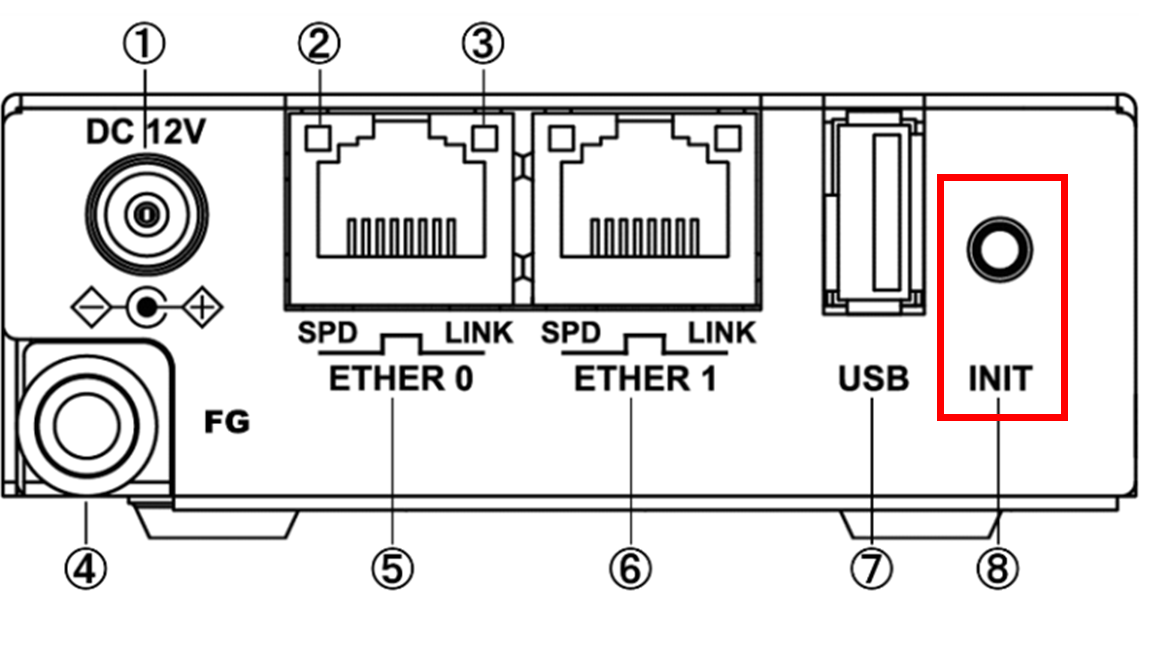
For DGW-C10 / F20 / L30
Press and hold the INIT button on the DeviceGateway unit while powering it on.
Keep holding the INIT button until STATUS1 starts flashing red.
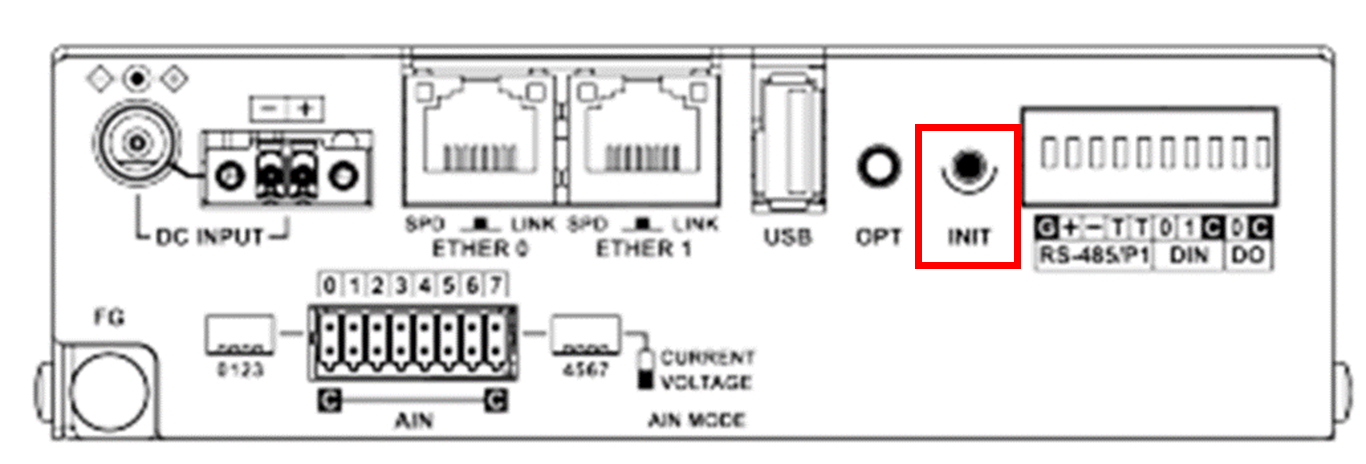
For DGW-R40
Press and hold the INIT button on the DeviceGateway unit while powering it on.
Keep holding the INIT button until STATUS1 starts flashing red.
For DGW-W710
Place a file named “dgwinit.txt” in the root directory of the SD card (do not create any folders; save it directly in the root).
The file can remain empty.
The file can remain empty.
Insert the SD card into the DGW-W710, then power on the unit.
After initialization is complete, the above file will be automatically deleted.
After initialization is complete, the above file will be automatically deleted.
Notes When Performing Initialization
Devices that have undergone a firmware update will not revert to the factory firmware version.
All configuration data stored in the DeviceGateway unit will be erased. We recommend backing up the settings to an SD card beforehand.
Once initialization is complete, you can access the management interface using the default IP address:
192.168.253.253.