

FAQ
- DeviceXPlorer
Failed to start OPC UA Server.
2025.07.23
When you try to start the OPC UA server function in DeviceXPlorer, you may encounter the error message "Failed to start OPC UA Server".
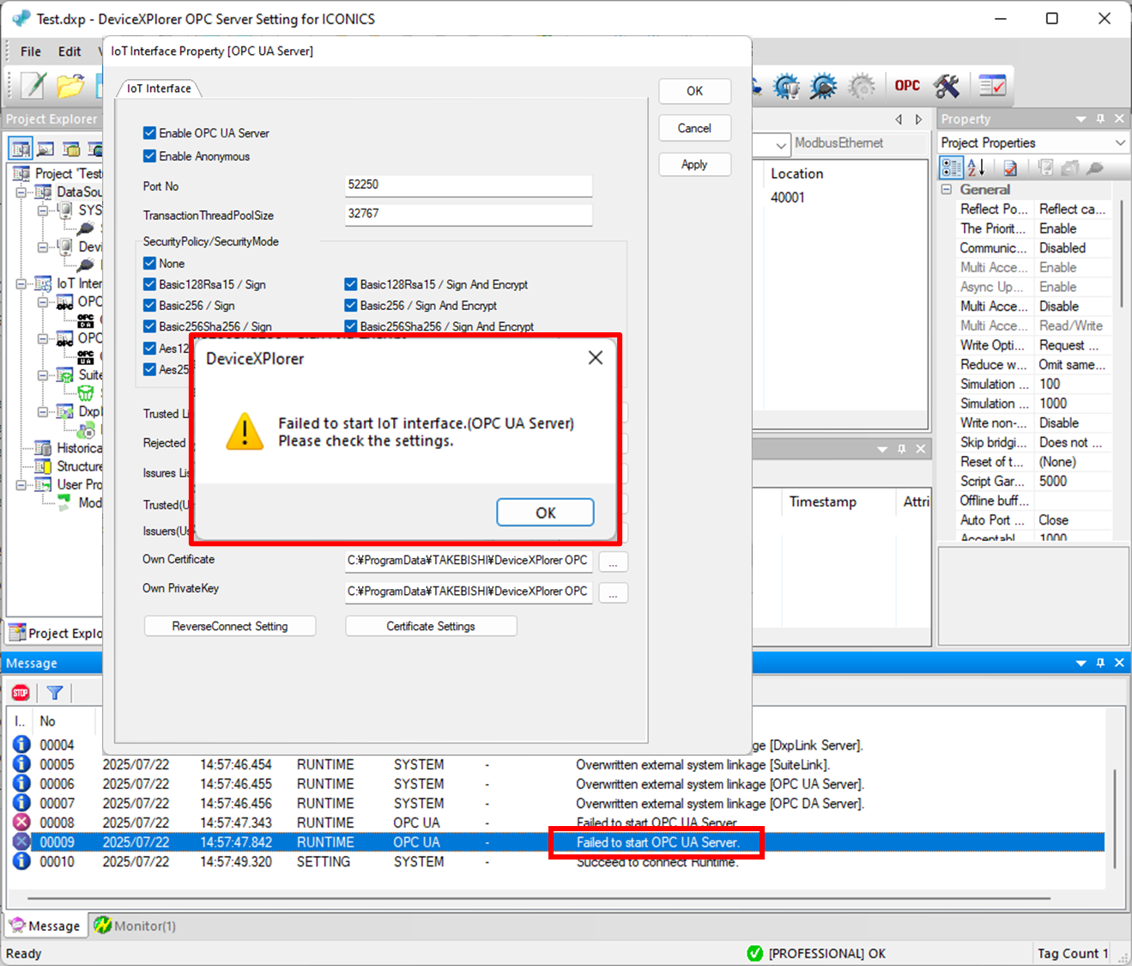
If the OPC UA server function cannot be started, please check the following:
Port number is used by another process
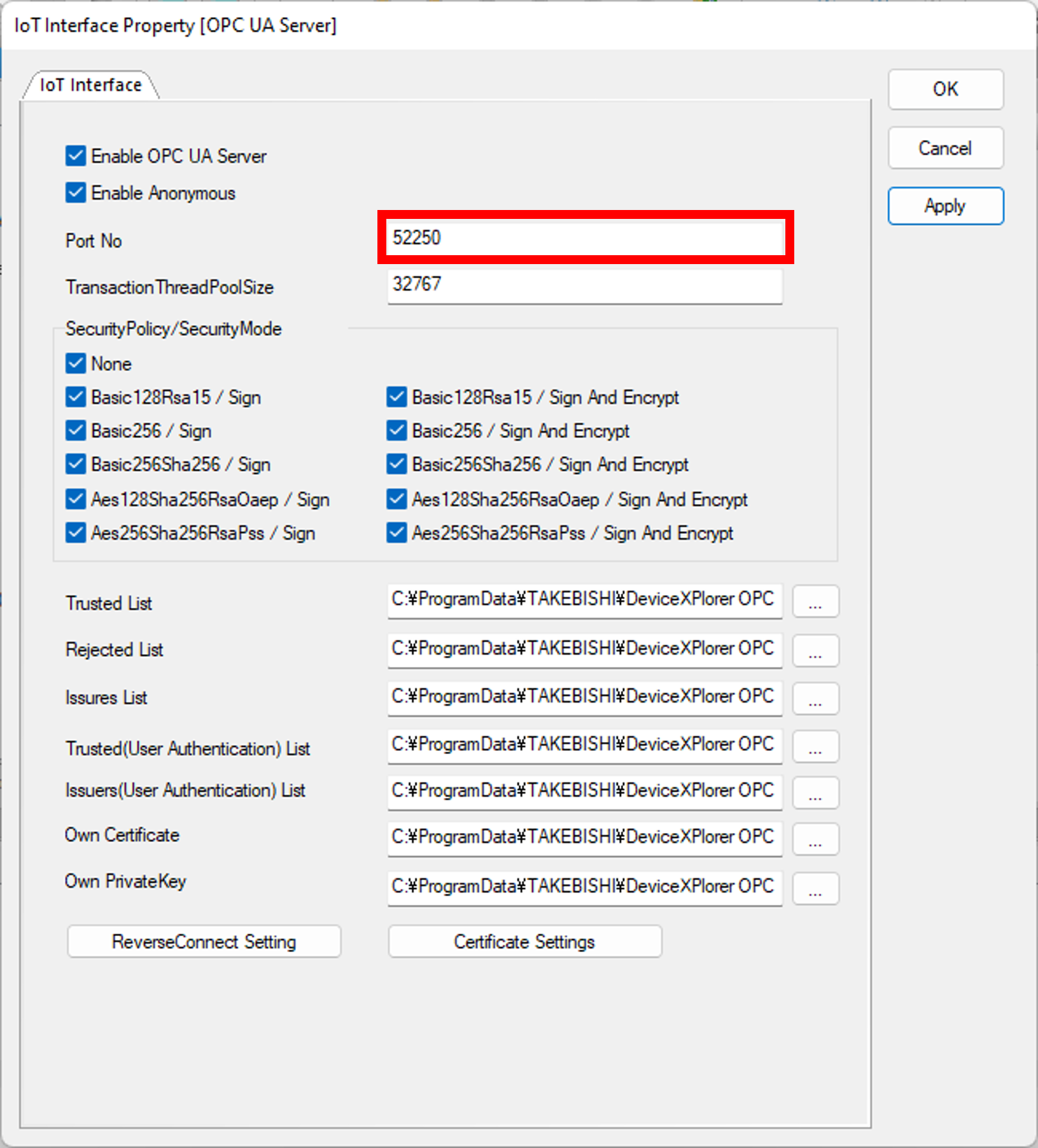
The default port number for the OPC UA server function in DeviceXPlorer is 52250. If this port is being used by another process, DeviceXPlorer will fail to start the OPC UA server function. In this case, please use a different port number for OPC UA server function.
You can change the port number in OPC UA Server settings.
Invalid certificate
The existing certificate for DeviceXPlorer may cause the problem. Please check if the certificate is valid and appropriate.
The certificate path for OPC UA server of DeviceXPlorer:
C:\ProgramData\TAKEBISHI\DeviceXPlorer OPC Server 7\pkiserver\own\certs\DxpOpcUaServer.der
If necessary, please regenerate the certificate. Instructions can be found on the following page:
How to regenerate the certificate for OPC UA server.