

FAQ
- DeviceXPlorer
Script Function
2025.05.16
The scripting feature is a function that allows users to integrate their own logic into the DeviceXPlorer OPC Server, and it is available at no additional cost across all lineups of version 7. The scripting language named 'Lua' is used. The version is Lua 5.1, and refer to the official reference manual Lua 5.1 Reference Manual for the basic information of the language.
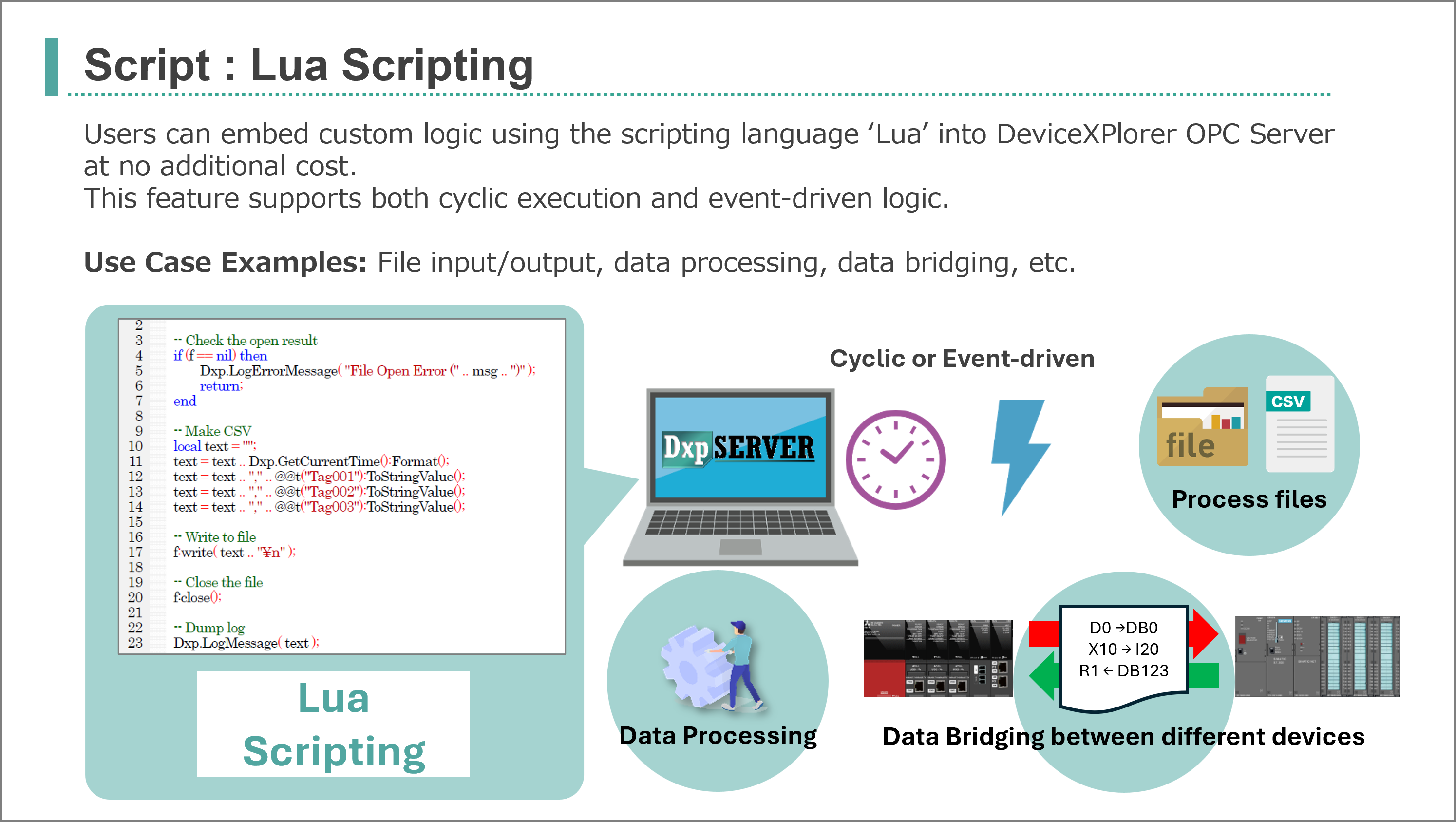
For details on the unieque features of DeviceXPlorer OPC Server, refer to section [5 Script] in the "User's Guide (Server Edition)". It can be downloaded from the following page:
Here are some examples of Lua scripting.
- To process device data and write it to another device data
- To write multiple data items at once
- To access each element of an array tag
- To read text from a CSV file
- To write text to a CSV file
- To generate various values
- To process byte swapping
- To process word swapping
- To process JSON format
- To send a GET request to a web server (REST API server)
To process device data and write it to another device data
-- Retrieve data
local value1 = @t("Device001.IntTag001").Value;
local value2 = @t("Device001.IntTag002").Value;

-- Process data
local result = value1 * value2;

-- Write data
@t("Device001.ResultTag001").Value = result;
To write multiple data items at once
local tags = {};
tags[1] = @t("SQL01.Timestamp:S");
tags[1].Value = Dxp.GetCurrentTime():Format('%Y-%m-%d %H:%M:%S');
tags[2] = @t("SQL01.Value01");
tags[2].Value = @t("Device1.IntTag001").Value;
tags[3] = @t("SQL01.Quality01");
tags[3].Value = @t("Device1.IntTag001").Quality;
tags[4] = @t("SQL01.Timestamp01");
tags[4].Value = @t("Device1.IntTag001").Timestamp:Format('%Y-%m-%d %H:%M:%S');

-- Sync write
local ret = Dxp.SyncWrite( tags );
if ret == false then
   Dxp.LogErrorMessage("Write Failure!");
end
To access each element of an array tag
local arrayTag = @t("Device001.ArrayTag001");

-- Access each element of the array tag
local element01 = arrayTag:GetValue(1);
local element02 = arrayTag:GetValue(2);
local element03 = arrayTag:GetValue(3);
To read text from a CSV file
-- [Function] Read CSV format
function readCSV(filePath)
    local csvData = {};

    -- Open File
    local file = io.open(filePath, "r");
    if not file then
        Dxp.LogErrorMessage("Could not open file: " .. filePath);
        return nil;
    end

    for line in file:lines() do
        local row = {}
        for field in string.gmatch(line, "([^,]+)") do
            table.insert(row, field)
        end
        table.insert(csvData, row)
    end

    -- Close File
    file:close()

    return csvData
end

-- Read a CSV file
local csvFilePath = "C:\\\\Data\\test123.csv";
local data = readCSV(csvFilePath)

if data then
    for i, row in ipairs(data) do
    	local s = "";
        for j, field in ipairs(row) do
            s = s .. (field .. (j < #row and ", " or "\n"));
        end
        Dxp.LogErrorMessage(s);
    end
end
To wriite text to a CSV file
-- File path
local path = "C:\\Data\\test_" .. Dxp.GetCurrentTime():Format("%Y%m%d") .. ".csv";
local f, msg = io.open(path,"a+");

-- Check the open result
if (f == nil) then
   >Dxp.LogErrorMessage("File Open Error ("..msg..").");
   return;
end;

-- Make CSV
local text = "";
text = text .. Dxp.GetCurrentTime():Format();
text = text .. "," .. @t("Device1.IntTag001"):ToStringValue();
text = text .. "," .. @t("Device1.IntTag002"):ToStringValue();
text = text .. "," .. @t("Device1.IntTag003"):ToStringValue();

-- Write to file
f:write(text .. "\n");

-- Close the file
f:close();
To generate various values
-- Generate random value
@t("Device1.RandomTag001").Value = math.random(0,100);

-- Generate ramp value
if @t("Device1.ControlSwitch").Value == true then
   @t("Device1.IntTag001").Value = @t("Device1.IntTag001").Value + 1;
elseif @t("Device1.ResetSwitch").Value == true then
   @t("Device1.IntTag001").Value = 0;
else
   --nothing
end

-- Generate sine value
local angle = 5;
local rot = @t("Device1.Rot").Value;
rot= rot + angle;
@t("Device1.Rot").Value = rot;
local rad = rot * math.pi/ 180;
local SIN = math.sin(rad);
@t("Device1.FloatTag001").Value = SIN * 100;

-- Generate cos value
local COS = math.cos(rad);
@t("Device1.FloatTag002").Value = COS * 100;
To process byte swapping
-- [Function] Bit Shift Left
function bitShiftLeft(value, shift)
    return value * (2 ^ shift)
end

-- [Function] Bit Shift Right
function bitShiftRight(value, shift)
    return math.floor(value / (2 ^ shift))
end

-- [Function] Byte Swap for 16 bit integer
function byteSwap16(value)
    return bitShiftLeft(value % 256, 8) + bitShiftRight(value, 8)
end

-- [Function] Byte Swap for 32 bit integer
function byteSwap32(value)
    return
        bitShiftLeft(value % 256, 24) +
        bitShiftLeft(bitShiftRight(value, 8) % 256, 16) +
        bitShiftLeft(bitShiftRight(value, 16) % 256, 8) +
        bitShiftRight(value, 24)
end

-- Process 16 bit Byte Swapping
local original16 = 0x1234
local swapped16 = byteSwap16(original16)
Dxp.LogInfoMessage(string.format("Original 16bit: 0x%04X", original16))
Dxp.LogInfoMessage(string.format("Swapped 16bit: 0x%04X", swapped16))

-- Process 32 bit Byte Swapping
local original32 = 0x12345678
local swapped32 = byteSwap32(original32)
Dxp.LogInfoMessage(string.format("Original 32bit: 0x%08X", original32))
Dxp.LogInfoMessage(string.format("Swapped 32bit: 0x%08X", swapped32))
To process word swapping
-- [Function] Process 32 bit Byte Swapping
function word_swap32(val)
    local lower = val % 0x10000
    local upper = math.floor(val / 0x10000)
    return lower * 0x10000 + upper
end

-- Process 32 bit Byte Swapping
local original32 = 0x12345678
local swapped32 = word_swap32(original32)
Dxp.LogInfoMessage(string.format("Original 32bit: 0x%08X", original32))
Dxp.LogInfoMessage(string.format("Swapped 32bit: 0x%08X", swapped32))
To process Json format
-- Parse Json
local jsonObj = Dxp.ParseJson(json_text);

-- Get an array object
local json_array = jsonObj:GetObject("array1");

-- Get the element count from the array object
local element_count = 0;
while true do
    local ok, elem = pcall(function() return json_array:GetArrayObjectElement(count) end)
    if not ok or not elem then break end
    element_count = element_count+ 1;
end;

-- Get an element from the array object
local json_element = json_array:GetArrayObjecctElement(4);

-- Get numeric value
local id = json_element:GetNumeric("id");

-- Get string value
local name = json_element:GetString("name");

-- Get boolean value
local status = json_element:GetBoolean("status");
To send a GET request to a web server (REST API server)
Create an HTTP Client setting named "HttpClient01" with the host address"jsonplaceholder.typicode.com" and Port No "443" in advance.
local http =@httpclient("HttpClient01");
local req = http:CreateRequest();
req.MethodType = "GET";
req.ContentType= "application/json";
req.QueryPath = "/posts";
req.InfiniteRetry = false;
local res = http:SendSync(req);

-- Check the response status and body
if res.StatusCode == 200 then
    -- Successfully received response
    local data=res.Body
    -- Get the response body
    Dxp.LogInfoMessage("Data received: ".. data);

    -- Json Parse
    local jsonObj = Dxp.ParseJson(data);

    -- Get Element
    local jsonelement = jsonObj:GetArrayObjectElement(0);
    Dxp.LogInfoMessage("Element[0]: ".. jsonelement:ToString());

    -- Get "userId"
    local userId = jsonelement:GetNumeric("userId");
    Dxp.LogInfoMessage("userId: ".. userId);

    -- Get "title"
    local title = jsonelement:GetString("title");
    Dxp.LogInfoMessage("title: ".. title);
else
    Dxp.LogErrorMessage("Failed to get data. Status Code:"..res.StatusCode);
end