

Products
- TOP
- Products
- DeviceXPlorer OPC Server
- SCADA Guide
- SCADA setting LabVIEW
SCADA setting LabVIEW
This page is an introduction for setting when our OPC Server is used with "LabVIEW 7.0" of National Instruments. We are unable to answer details concerning setting of SCADA, so please make inquiries to the SCADA vendor or the sales outlets.
How to Start LabVIEW
Select Program->National Instruments->LabVIEW 7.0->LabVIEW 7.0 from Start Menu. LabVIEW will be started.
How to connect with DataSocket
It is connected with OPC by using the communication object named as DataSocket in LabVIEW. DataSocket supports OPC interfaces standardly. If each control object on the screen is connected with DataSocket, it becomes possible to access with OPC at once.
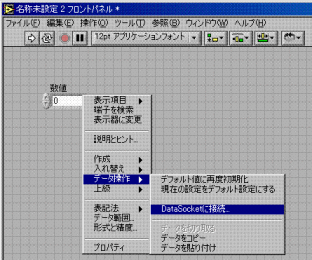
When you select a control object and click right button, the pop up menu is displayed. Select Operate Data->Connect DataSocket.
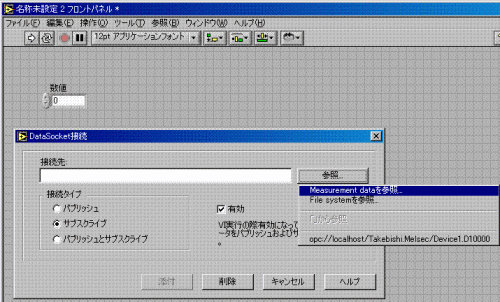
"Connect DataSocket" dialog is displayed. Click "Refer" button and select "Refer measurement data".
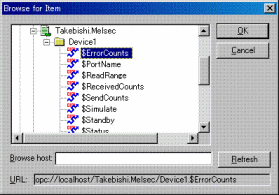
The "Browse for Item" dialog is displayed and OPC Servers installed in local PC on the dialog. Select OPC Items on the dialog.
Execution
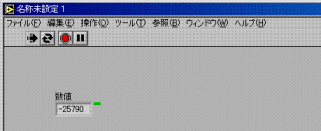
When the project is executed, communication with OPC Server will be started.